Why Listing Language Is Built to Impress, Not Inform
Accommodation listings are written by properties or platform algorithms with one goal: converting browsers into bookers. That doesn't mean listings are dishonest — but it does mean they use language selectively. Key details get buried, qualifiers get dropped, and aspirational framing takes the place of neutral description.
For first-time travelers, this creates real risk. A room described as "cozy" may simply be small. "Steps from the beach" might mean a 10-minute walk on uneven terrain. "Renovated" could refer to the lobby, not the rooms. Understanding how to read these signals is a foundational booking skill — one that applies whether you're comparing hotels, hostels, or vacation rentals. If you're still deciding which lodging type suits your trip, our guide to lodging types is a useful starting point.
What you will need
The steps below walk you through each layer of a typical listing, from room names to cancellation terms, so you can evaluate what you're actually getting before you commit.
Use the Written Description, Not Just the Highlights
Booking platforms surface a short bullet list of features at the top of every listing. That summary is curated by the property and highlights only positives. Scroll to the full written room description, which is where qualifiers like 'partial view,' 'courtyard-facing,' or 'shared bathroom on the floor' tend to appear. Spending two extra minutes here can prevent a disappointing check-in.
How to Read a Listing Without Being Misled
Booking platform listing page
The primary source of room descriptions, photos, amenity lists, and pricing breakdowns you will be evaluating.
Property's official website
Often provides more detailed room specifications and floor plans than third-party platforms display.
Guest review section
Used to cross-check whether listing claims match real guest experiences, particularly around cleanliness and facilities.
Email or chat contact with the property
Allows you to confirm specific amenities or room characteristics directly before committing payment.
Decode the room type name
Room names follow loose industry conventions, not a universal standard. A "double room" typically means one double bed — not two beds for two people. A "twin room" usually has two single beds. "Queen" and "king" refer to mattress sizes, not room size. At vacation rentals and hostels, naming conventions differ further: a "studio" means no separate bedroom, and a "dorm" means shared sleeping with strangers.
Read the bed configuration line carefully. If it says "sleeps 4" but lists only one king bed and a sofa, two people will be sleeping on a pull-out — a detail that matters enormously if you're traveling with children or adults expecting a proper bed.
Interpret view and location descriptors critically
"City view," "ocean view," and "garden view" are among the most misunderstood terms in hotel listings. In the industry, "view" means the feature is visible from the room — not that it dominates the window or is unobstructed. A city view on a low floor facing a neighboring building still technically qualifies.
"Partial view" is more honest — it usually means you'll glimpse the feature from one angle, often while standing. "Ocean-facing" is stronger than "ocean view" but still not a guarantee of an unobstructed panorama. If the view matters to your decision, look at photos taken from inside the actual room, and note whether those photos show the view directly or just the room interior.
Identify shared vs. private facilities
This distinction affects comfort, privacy, and price more than almost any other factor. "En suite" means the bathroom is inside your room. "Private bathroom" may mean a dedicated bathroom that is yours alone but located down the hall. "Shared bathroom" or "shared facilities" means the toilet, shower, or both are used by multiple guests.
At hostels, shared facilities are the norm and priced accordingly. At budget guesthouses, the distinction is less predictable. Scan the amenities section for the word "shared" and check the full description — platforms sometimes bury this detail below the fold. If you're unsure, the property's FAQ or a quick email will clarify before you book.
Check what 'included' actually means
Listings frequently use phrases like "breakfast included," "free parking," or "Wi-Fi included" in headline summaries. These phrases require scrutiny. "Breakfast included" can mean a full cooked meal, a continental spread, or just a coffee voucher — the written description or a call to the property will clarify. "Free parking" may refer to street parking nearby rather than on-site. "Wi-Fi included" doesn't indicate speed or reliability.
For room amenities like air conditioning, note whether the listing says "air conditioning" (a fixed unit) or "fan" — these are meaningfully different in warm climates. See also our guide on room features that affect sleep quality for what to ask about before booking.
Review the cancellation and fee structure before committing
Cancellation policies vary widely: "free cancellation" typically means you can cancel without penalty up to a specified date — not at any time. After that window closes, you may owe 50–100% of the booking cost. "Non-refundable" rates are exactly that, and they're common on discount-tier room offerings.
Look for the cancellation deadline in the policy section, not just the headline label. Also check for mandatory fees not included in the displayed rate: resort fees, service charges, city taxes, and — at vacation rentals — cleaning fees. These can add 15–30% to your apparent total. For a full breakdown of pricing terminology, see our hotel rate jargon reference.
Cross-check the listing against recent reviews
A listing describes what a property wants you to believe. Reviews describe what guests actually experienced. After reading the full listing, go to the reviews and search for mentions of the specific room type you're considering. Look for patterns: multiple guests noting the same issue (noise, cleanliness, misleading photos) is more reliable than a single complaint.
Pay attention to review dates — conditions at a property can change after renovation or management turnover. Reviews older than 12 months carry less weight for current conditions. For a deeper look at interpreting reviews reliably, see our guide on reading hotel reviews without being misled. And if you notice the listing itself has warning signs — stock photos, no address, suspiciously generic descriptions — our article on red flags in hotel listings explains what to watch for.
Listed Price Is Rarely the Final Price
Most booking platforms display a base nightly rate that excludes taxes, resort fees, cleaning fees, and city levies. These add-ons are disclosed at checkout — but often only after you've invested time comparing options. Always click through to the final payment summary before treating any rate as meaningful. Our plain-English rate guide breaks down the most common fee categories.
Amenity Icons Are Not Guarantees
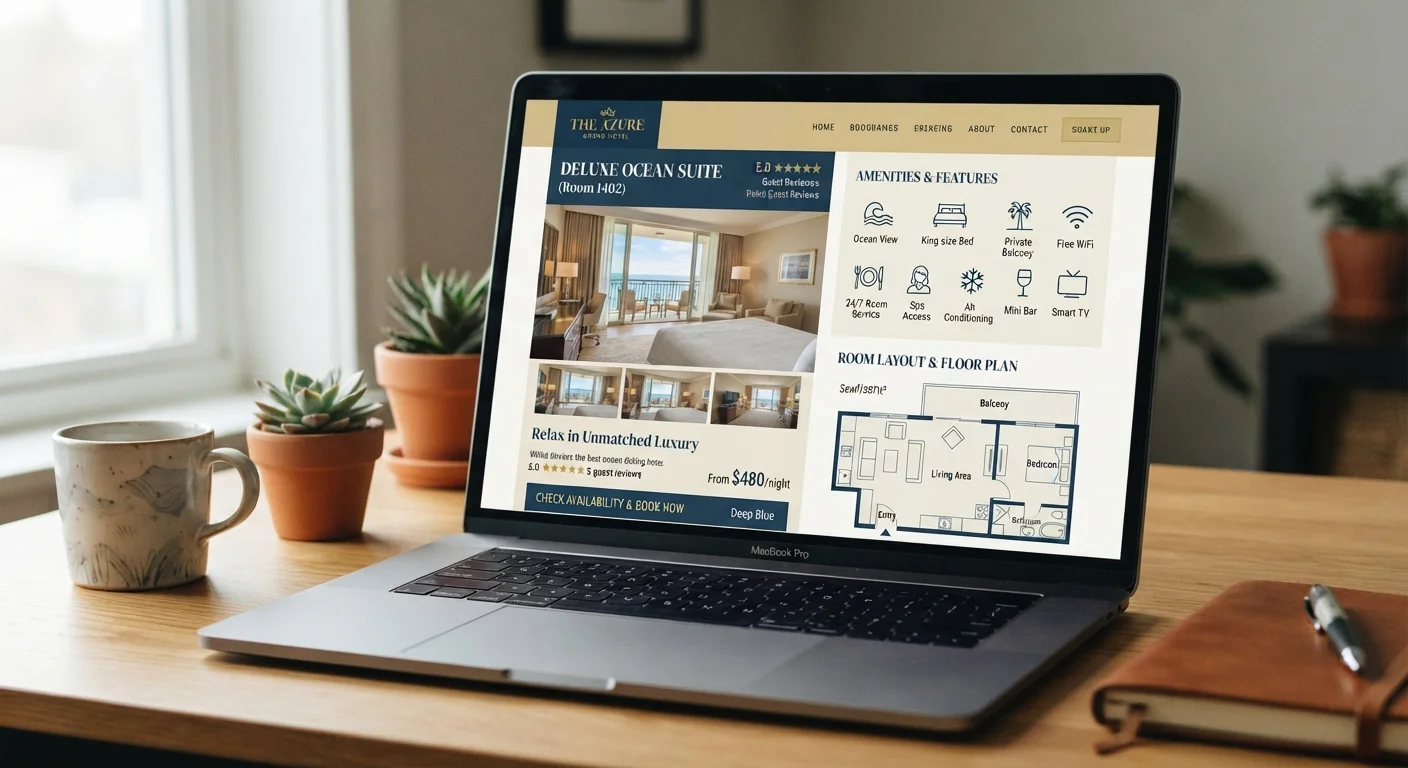
Platforms use standardized icons for amenities like Wi-Fi, air conditioning, or parking — but these are often self-reported by the property and rarely audited. An icon means the property claims to offer that feature; the written description and recent guest reviews are a far more reliable check. If a specific amenity is essential to your stay, confirm it directly with the property before booking.
Once you've worked through these steps for each property on your shortlist, you'll have a much clearer picture of what each option actually delivers — not just what it promises. Applying this process consistently is one of the most effective ways to avoid the expensive surprises that catch first-time travelers off guard. For broader booking strategy, the Smart Booking hub covers timing, rate types, and how to protect your reservation.